
How to clean up product data before a PIM migration
Before a PIM migration: inventory sources, dedupe SKUs, normalize units and values, map to the target model, fill required fields, test-import, then load.
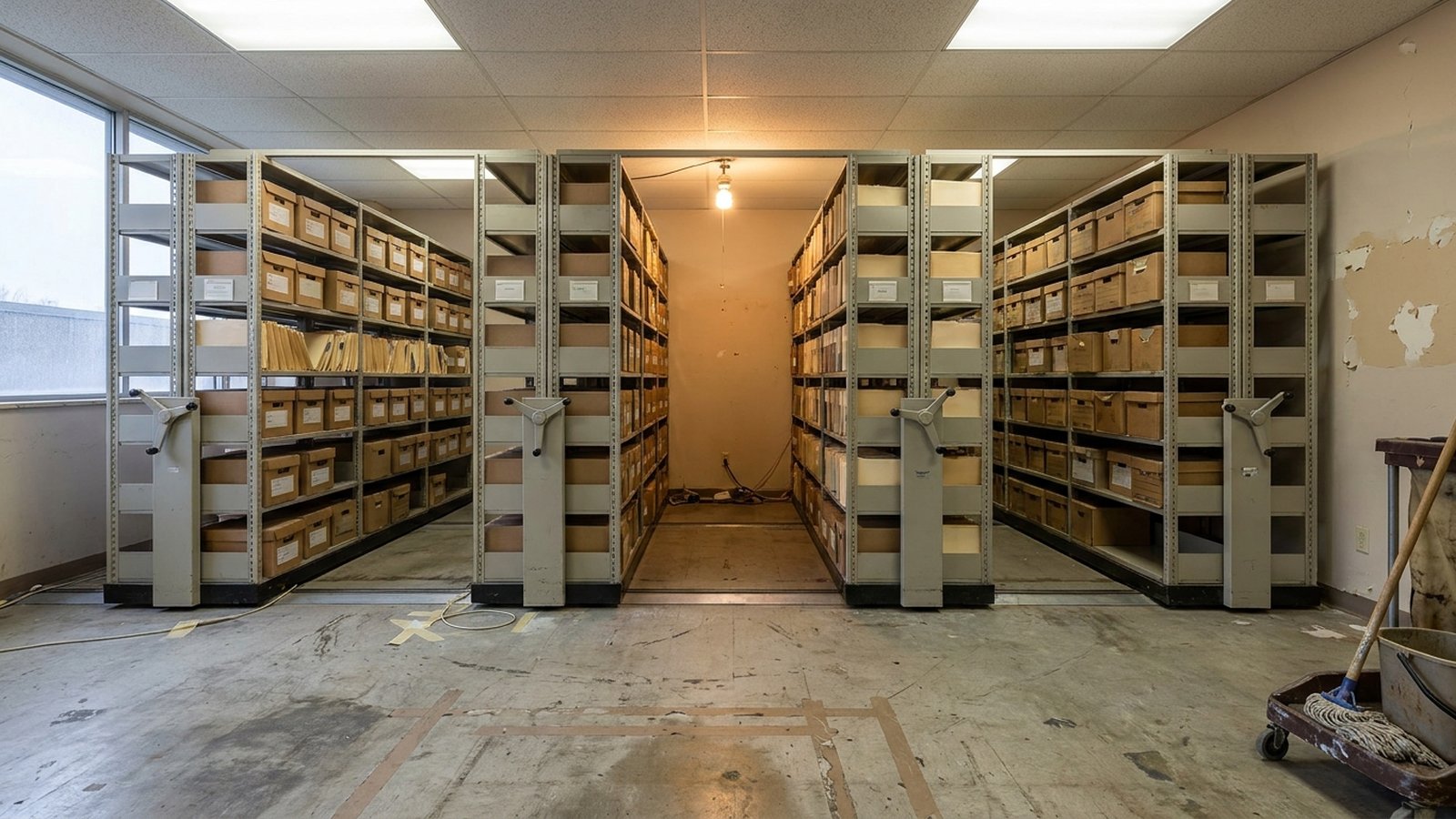
Clean product data before a PIM migration in seven ordered steps: inventory every source, dedupe SKUs, normalize units and values, map each column to the target data model, fill the attributes the target marks required, validate with a test import, then migrate in batches. Do the work that changes record identity or structure before migration, and leave channel-specific enrichment until after, so nothing gets cleaned twice.
Each step narrows the problem for the next. Run them out of order and you end up normalizing values on SKUs the dedupe pass later deletes.
The cleanup sequence, step by step
1. Inventory every source before touching a value
List every place product data lives today: the ERP item master, the supplier price files, the merchandising spreadsheet, the old PIM or ecommerce platform export, the shared drive of spec sheet PDFs. For each, record who owns it, what key it uses (sku, mfr_part_number, upc), and which fields it is the system of record for.
This is where you decide what does not belong in the PIM at all. inriver's spreadsheet migration guide makes the point that some spreadsheet data belongs in your ERP rather than your PIM, and separating it early saves cleanup later. Cost, inventory, and pricing tiers usually stay in the ERP. Pull them out of scope now and you shrink the cleanup.
2. Dedupe and settle identity
Pick one identifier as the match key and resolve duplicates against it. Typical duplicates in a distributor catalog: the same part listed under a vendor SKU and an internal SKU, a superseded item that was never inactivated, and the same UPC on two rows with different descriptions.
Check how the target treats keys. Akeneo's documentation notes its import treats A238B and A238b as the same product, so two rows that differ only by case in your spreadsheet will collide on load. Find those before the import does.
Also drop discontinued and obsolete items here. Advasta's migration guide names unchecked transfer of duplicates, outdated products and unclear attributes as the classic mistake. Every dead SKU you migrate is a SKU you will later be asked to enrich.
3. Normalize units and values
Now the surviving records get consistent values. Three kinds of work dominate:
- Split combined fields. A
dimensionscell reading12 x 8 x 4 inbecomeslength,width,height, and a unit. inriver lists splitting combined measurement values into separate fields as a core cleanup task. - Normalize units.
1/2",0.5 in,.5 IN, and12.7mmare one value. Choose a canonical unit per attribute and convert. - Collapse free text into pick-list values. A
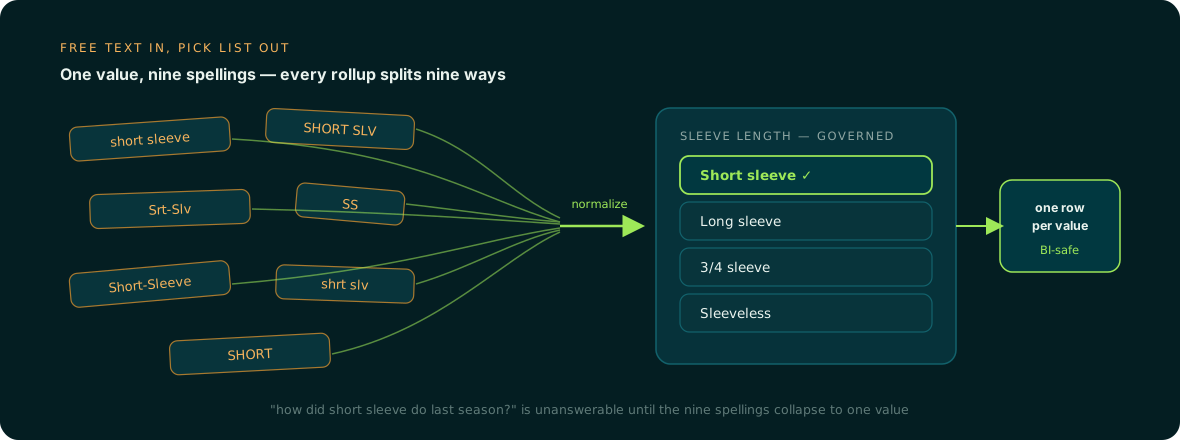
colorcolumn withBlk,BLACK,black matte, andBlackneeds to resolve to governed options before it can map to a select attribute.
The last one matters most for reporting. When the same value is spelled nine ways, every rollup by that attribute splits into nine rows. We cover that failure in detail in why free-text attributes break BI.
4. Map every column to the target data model
Before you map, the target model has to exist: product families or classes, the attributes on each, their types, and which are required for which channel. Advasta frames it as three questions about product classes, envisaged attributes, and mandatory fields per channel.
Then build the mapping document. inriver's version records, per source field, the target attribute name, data type, whether it is required, and the transformation. Add two columns of your own: the source system of record, and the pick-list the value must resolve to.
Watch for splintered attributes during mapping. If three spreadsheets carry voltage, volts, and rated_voltage, they should land in one target attribute, not three. That consolidation work is covered in fixing a splintered attribute schema.
Spreadsheet-to-PIM import: field mapping, pick-lists, and validation
Many PIMs accept similar file types (CSV and Excel), but each has its own rules for select values and errors. Read the target's import docs before you format a single column.
| What to check | Example from vendor docs |
|---|---|
| Accepted formats | Akeneo takes CSV and XLSX, up to 5 GB per file, first sheet only; Optimizely PIM takes .xls, .xlsx, and .csv |
| Required key | Optimizely: imported products must have a product number |
| Select values | Akeneo's standard format expects option codes, comma-separated for multi-select, e.g. crewneck,short_sleeve |
| Bad rows | Akeneo lets you skip the whole row or skip only the invalid value; Optimizely says validation errors do not cause an import to fail, but the records with errors are not imported until fixed |
That last row is the quiet risk. An import that "succeeds" with skipped values or skipped records leaves gaps you will not notice until a channel rejects the product. Always read the error report, not just the status.
Some PIMs can transform on the way in. Akeneo's Tailored Import offers split, replacement, search and replace, HTML cleanup, and regex extraction during mapping. That is handy for formatting, but do the semantic normalization (deciding that Blk means Black) upstream in your mapping document, where it is reviewable and reusable for the next load.
5. Fill the required attributes
With the model and mapping set, you can measure the gap: for each family, which required attributes are empty, and on how many SKUs. This is often the largest single block of work.
For illustration, a 20,000-SKU catalog with an average of six missing required attributes is 120,000 values. At even two minutes per value pulled from a spec sheet, that is 4,000 hours of research. That arithmetic is why "who does this work" becomes the real question.
Fill from source documents (manufacturer spec sheets, catalogs, product pages), not from guesses, and keep the source with the value. When two sources disagree on, say, max_operating_temperature, flag it for review instead of picking one silently. This is the work Anglera does: it extracts values from the actual source documents, quality-scores them, flags conflicts for a person to resolve, and backfills a new attribute across the catalog. It works alongside whatever PIM you are moving to, starting from a flat CSV or ERP export, as described in how Anglera works.
6. Validate with a test import
Load a sample before the full set. inriver suggests 20 to 50 products across different categories. Choose the sample deliberately: your messiest family, a multi-select-heavy family, and items with measurement attributes. Check that every mapped column populated, every select value resolved, and the error report is empty or explained. Then fix the mapping, not the records in the PIM.
7. Migrate in batches
Load family by family. After each batch, compare record counts and spot-check attribute fill against the cleaned source. Freeze edits on the legacy sources during cutover, or you will be reconciling two moving targets.
What to clean before migration vs after
The rule that avoids cleaning twice: clean before migration anything that changes identity, structure, or the meaning of a value. Clean after migration anything that only changes how a correct value is presented to a channel.
Before: duplicate and obsolete SKUs, the match key, unit and value normalization, splitting combined fields, pick-list resolution, attribute consolidation, and required-attribute fill for the core model. These all change what the mapping produces, so doing them after means redoing the mapping and re-importing.
After: channel-specific titles and descriptions, marketplace-specific attribute variants, translations, and image cropping. These sit on top of clean core data, and the PIM is usually the right place to manage them.
Startwithdata's guidance puts it bluntly: never treat PIM as a cleansing tool of last resort. The second way teams clean twice is subtler: they clean once, migrate, and then let the old free-text habits back in. Lock the pick-lists and validation rules in the new PIM on day one so the cleanup holds. For the cutover mechanics, see the guide on migrating a PIM without breaking your catalog, and if you are still deciding whether spreadsheets are enough, PIM vs spreadsheets lays out the trade.
How to tell if your data is ready
You are ready to load when four things are true: every row has one valid match key, every select attribute's values exist in the target pick-list, every required attribute for each family is populated or explicitly marked as not applicable, and a test import of your hardest family produced no unexplained errors.
Your PIM stores the data; the hard part is producing values worth storing. Anglera does that work as an ongoing, source-grounded practice rather than a one-off migration project, typically live in 30 days or less, so the required attributes are filled before go-live and new ones can be backfilled after it.